


Does your phone seem to die faster than it used to? Maybe you’re reaching for your charger halfway through the day, your battery percentage drops surprisingly quickly, or your phone just doesn’t seem to keep up with you anymore.
The problem may not be how much you’re using your phone — it could be your battery health.
All rechargeable smartphone batteries naturally degrade over time. As your battery ages, it can hold less of a charge than it could when it was new. That means less time between charges and, in some cases, changes in your phone’s performance.
Checking your battery health can give you a better idea of how your device is aging and help you decide when it might be time to consider an upgrade.
What Is Phone Battery Health?
Battery health refers to how much charging capacity your phone’s battery can hold compared to when it was brand new.
A new battery starts at or near 100% of its original capacity. Over time, normal charging and everyday use cause that capacity to gradually decrease.
For example, if your battery has an 80% maximum capacity, it can only hold about 80% of the charge it was originally designed to hold.
Battery degradation is normal for smartphones, whether you use an iPhone, Samsung Galaxy, Google Pixel or another device. Rechargeable lithium-ion batteries are consumable components with a limited lifespan.
Why Does Battery Health Matter?
Your phone’s battery powers nearly everything you rely on your device to do. As its health declines, you may begin noticing a difference in your everyday experience.
A degraded battery can mean:
- Shorter battery life between charges
- Needing to charge your phone multiple times throughout the day
- Faster-than-usual battery drain
- Reduced ability to deliver peak performance
- Unexpected shutdowns in some circumstances
- Having to rely more frequently on Low Power or Battery Saver modes
A phone that once comfortably lasted from morning until bedtime may suddenly need an afternoon charge.
That’s why checking battery health periodically is a simple way to understand what’s happening behind the scenes.
Why Is 80% Battery Health Important?
The 80% mark is an important benchmark when evaluating the health of a smartphone battery.
For iPhone specifically, Apple uses 80% of original battery capacity as a significant service benchmark. Apple says iPhone 14 models and earlier are designed to retain 80% of their original capacity at 500 complete charge cycles under ideal conditions, while iPhone 15 models and later are designed to retain 80% at 1,000 complete charge cycles under ideal conditions.
Once your battery approaches or falls below 80%, you may notice that it simply doesn’t last as long as it used to.
That doesn’t mean your phone suddenly stops working at 79%. But if your battery health has fallen below 80% — especially if you’re already dealing with poor battery life or an older device — it’s a good time to evaluate your options.
Replacing the battery may make sense in some situations. But if your phone is already several generations old, upgrading could give you more than improved battery life. A newer smartphone may also offer faster performance, upgraded cameras, newer software features, improved displays and other advancements.
How to Check Your iPhone Battery Health
iPhone makes it easy to see the condition of your battery directly from your settings.
Depending on your iPhone model and iOS version, the wording you see may vary slightly.
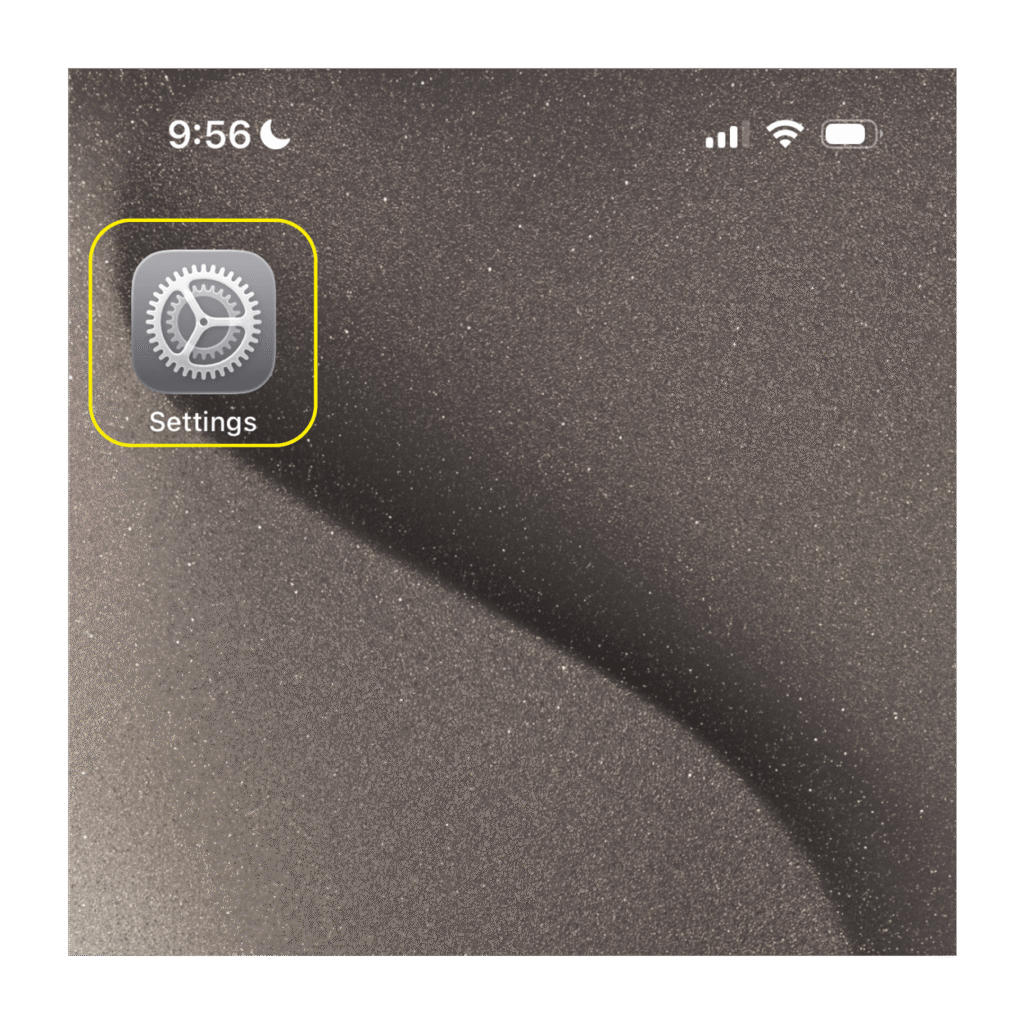
Step 1: Open Settings
Find and open the Settings app on your iPhone.
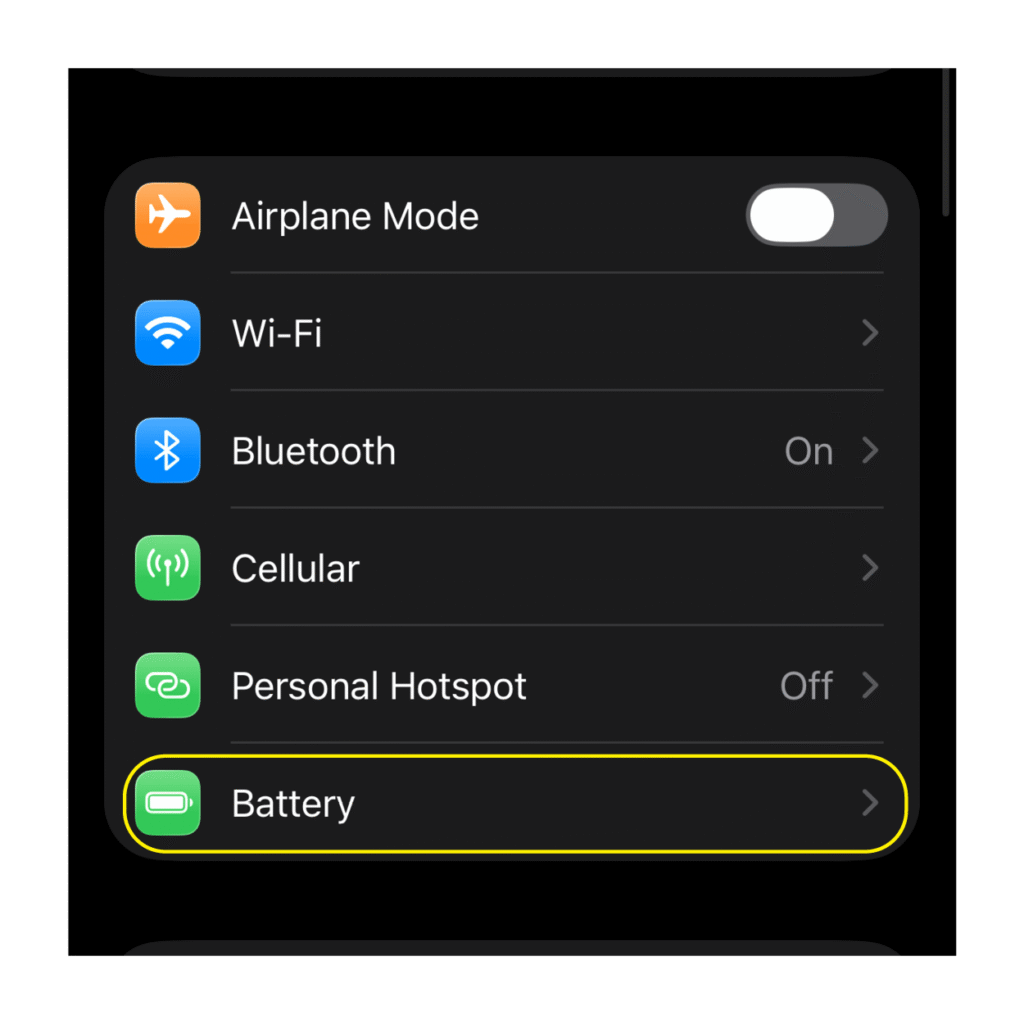
Step 2: Select Battery
Scroll down and tap Battery.
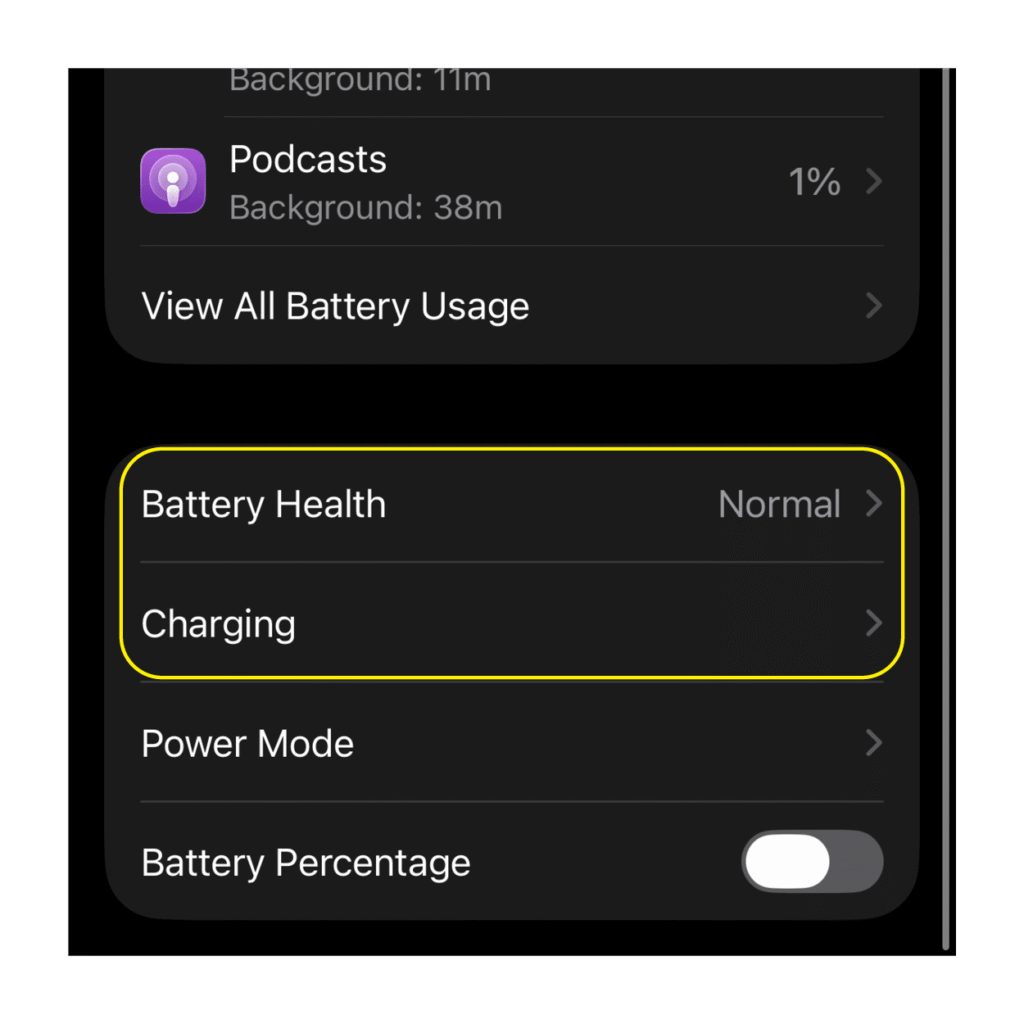
Step 3: Open Battery Health
On iPhone 15 and later, tap Battery Health.
On iPhone 14 and earlier, tap Battery Health & Charging.
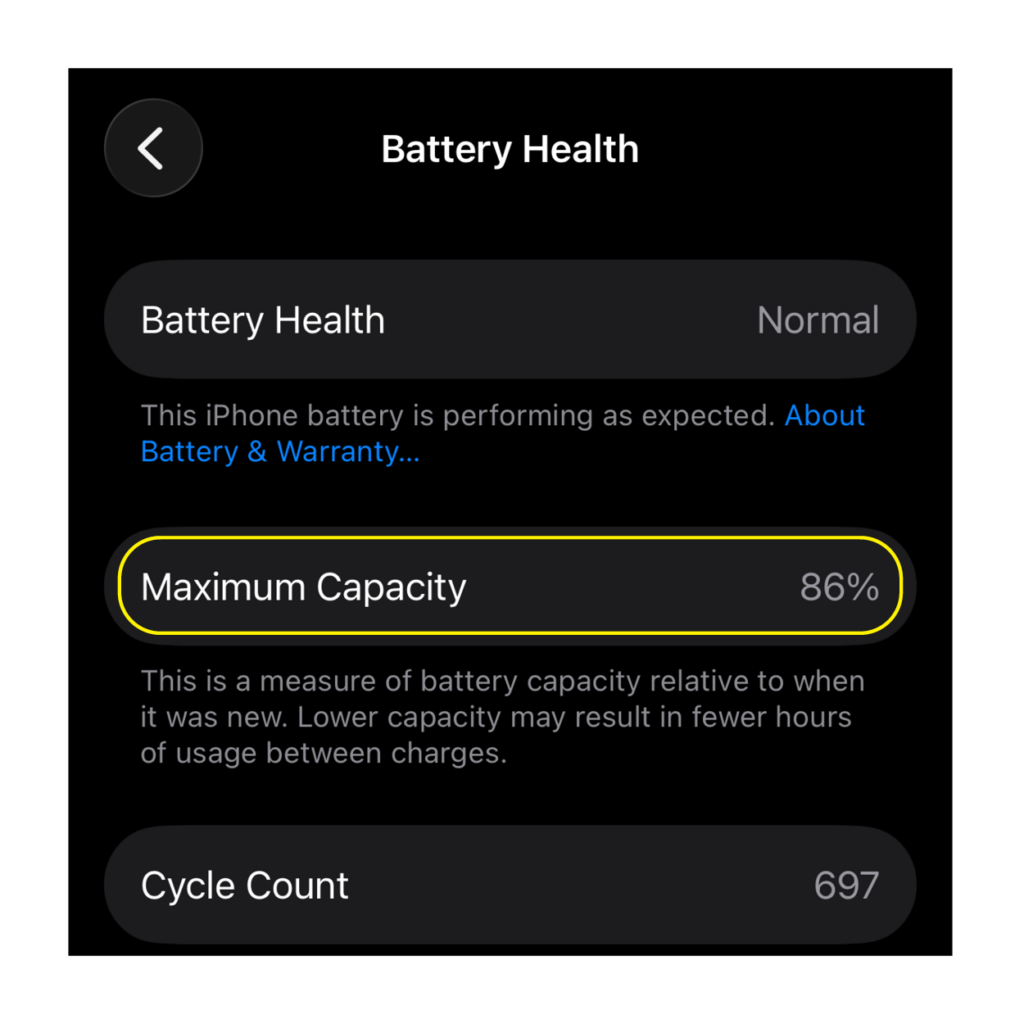
Step 4: Check Maximum Capacity
Look for Maximum Capacity.
This percentage compares your battery’s current capacity with its capacity when the battery was new.
For example:
100% — Your battery can hold approximately its original capacity.
90% — Your battery can now hold less charge than when it was new, but it may still provide plenty of battery life depending on your usage.
80% or below — Your battery has experienced more significant degradation, and it may be worth considering battery service or whether it’s time for a new phone.
You may also see additional information about your battery’s condition or whether service is recommended.
What About Android Battery Health?
Android phones experience battery degradation too, but the way battery health information is displayed varies by manufacturer, model and software version.
Some newer Android devices provide battery health, battery diagnostics or battery information within the device’s settings or support tools. Others may not display a simple maximum-capacity percentage like iPhone.
If you’re noticing dramatically shorter battery life, frequent charging or other battery-related problems on your Android device, those can also be signs that it’s time to take a closer look at the condition and age of your phone.
How Can You Help Preserve Your Phone’s Battery?
Battery aging is unavoidable, but good charging habits can help reduce unnecessary wear.
Avoid exposing your phone to extreme temperatures whenever possible, keep your software up to date and take advantage of built-in battery optimization features.
Many modern smartphones include charging features specifically designed to reduce battery aging. For example, newer iPhones offer charging optimization features, and iPhone 15 and later allow users to set a Charge Limit to help reduce battery wear.
Even with good charging habits, however, every rechargeable battery will eventually lose some of its original capacity.
Battery Below 80%? It May Be Time to Consider an Upgrade
If you check your phone and discover that its battery health is below 80%, don’t ignore it — especially if you’re already noticing that your device struggles to make it through the day.
Consider the age of your phone, how well it performs, the condition of the battery and whether your current device still meets your needs.
If your battery is showing its age, this could be the perfect opportunity to see what’s new.
Visit your local Wireless Zone store to explore the latest smartphones, learn about current trade-in and upgrade offers, and find a device that can keep up with your day.
Archived Content Notice: This article has been preserved for informational purposes. Information, pricing, promotions, and product availability may have changed since publication. Please verify current details with Wireless Zone before making purchasing decisions.